Understand the Megabook S1 before comparing prices
The Tecno Megabook S1 is a Windows laptop with a 15.6-inch high-resolution display, not an Android smartphone. Its strongest specifications center on a 3.2K 120Hz screen, Intel Core processor options, 16GB LPDDR5 memory and a 70Wh battery. That places it in a productivity-oriented notebook comparison. A Pakistan mobile-phone price card or phone-camera rating is the wrong way to assess this machine; the exact processor generation, screen quality and hardware warranty are far more important.
A 3.2K 120Hz screen for actual desk work
The 15.6-inch IPS panel has a 16:10 shape, a 3.2K resolution, a stated 450-nit brightness and full sRGB gamut coverage. Taller 16:10 proportions provide useful vertical room for spreadsheets, code editors, documents and browser windows. The 120Hz refresh rate can make cursor movement and scrolling feel fluid, although it does not mean every Windows application generates 120 frames per second. The sRGB claim is relevant to online visual work, but a factory figure does not replace measuring and calibrating an individual screen for professional color decisions. The combination is particularly attractive for buyers who spend hours reading or editing content.
Core processor variants and memory
Tecno’s international specification lists 13th-generation Intel Core i5-1340P and i7-1360P choices. These processors provide an appropriate foundation for office tasks, moderate content creation and general multitasking. The listed 16GB LPDDR5 memory helps when several applications are open, while the PCIe 4.0 SSD line extends up to 1TB. Neither a Core i7 label nor a large SSD guarantees superior results in every workload. It is worth checking the exact CPU suffix and the installed hardware configuration before ordering because other catalogue entries sometimes combine parts from different Megabook generations.
Webcam, sound and privacy
The Megabook S1 includes a 2MP webcam with a physical privacy shutter, along with dual microphones designed for AI-assisted noise reduction. The shutter is useful for closing off the camera view when a call ends without depending entirely on a software setting. The six-speaker design combines four woofers with two tweeters and is paired with Tecno’s VOC Plus and DTS:X Ultra audio features. Those are meaningful hardware differentiators for online classes and meetings, but loudness and sound quality still depend on the listening environment. A headset remains useful for important calls in noisy locations.
Ports and multitasking across devices
The official connection list includes HDMI 2.0, two USB 3.1 ports, USB 4.0, a full-featured USB-C port, a TF card reader and a 3.5mm audio jack. This selection is more flexible than a laptop relying on one or two Type-C connectors. HDMI is useful for a projector or an external monitor, while the card reader can simplify media transfers. Tecno also lists OneLeap multi-screen collaboration. Compatibility depends on the companion device and software build, so confirm the feature with the phone or tablet you actually intend to use rather than assuming every Android device will integrate equally.
Battery and charger choices
A 70Wh battery and 65W GaN charger are documented for the S1. GaN refers to charger electronics, not a promise of extraordinary battery life. Actual time on battery depends heavily on the screen refresh and brightness, video conferencing, background processes and CPU load. Buyers carrying the machine between campus and work should consider the weight of the laptop and adapter together, along with practical access to power sockets. When buying through a reseller, inspect the original charger and connectors because unsuitable replacements can reduce charging capability or create avoidable reliability problems.
Pakistan availability and who benefits most
No verified up-to-date Pakistani selling price or official local warranty for this particular configuration was established, so the importer leaves those values blank. The product’s international name should not substitute for evidence of local inventory. The Megabook S1 suits buyers who place screen detail, a taller working area and useful physical ports above gaming-focused graphics. Compare it against laptops with similar processor classes, display resolution and warranty terms. If your work depends on CUDA or demanding three-dimensional applications, check for a dedicated GPU rather than assuming this productivity laptop is optimized for those tasks.
How to avoid mismatched notebook listings
Ask for an image of the laptop’s Windows processor and memory details together with the model label. A listing that says Core i7 or 1TB without a full configuration may hide a materially different generation. Inspect the 3.2K panel for defects, the USB ports for wear and the privacy shutter for mechanical operation. Open the laptop for a few minutes of normal use to assess the keyboard and touchpad. If you intend to use a second monitor, verify the appropriate HDMI or USB-C display connection with your actual equipment.
For students and remote workers, the S1’s taller high-resolution display may provide more value than a minor processor upgrade. It can show more document content without constant scrolling and offer a detailed workspace for office software. Yet the same high pixel count may increase battery demand when brightness and refresh are high. A sensible buying test involves opening your usual programs, adjusting text scaling for comfort and checking how many hours of typical use fit your routine.
For a useful comparison, see Infinix Zero Book 13, a competing Windows laptop that emphasizes H-series processors.

Tecno POVA 8 Pro 5G
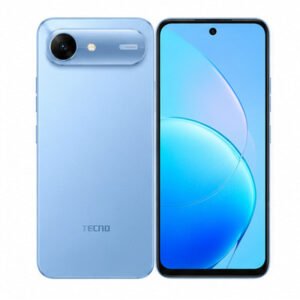
Tecno Spark 50s 5G
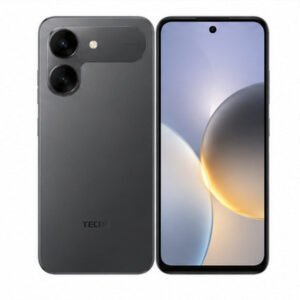
Tecno Spark Go 3 Pro
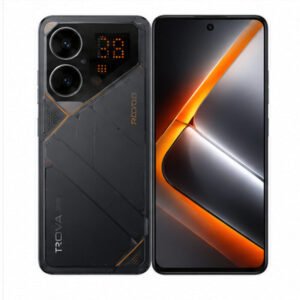
Tecno POVA 8 5G
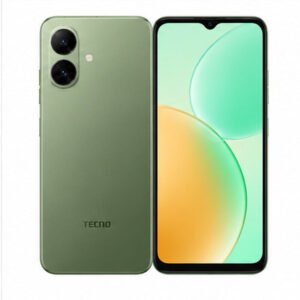
Tecno Pop X
Tecno Pop 10C
Tecno Pop 20